AI Bedroom Design From Your Photo
Try AI bedroom design from a photo of your room. Compare bedding, lighting, and decor in Japandi, Scandinavian, and other styles while requesting ideas around your existing bed.
Go to Bedroom Photo UploadReview your photo, preferences, and credits before generating.
Upload Your Bedroom Photo
Adjust the suggested settings before creating a design.
AI-generated sample photos for trying the tool.
Bedroom · Japandi
Furniture preference: keep existing pieces. Renter-friendly preference: on.
Review Credit Option and GenerateAvailable to eligible new accounts. Free results are watermarked 2K designs. Paid Standard 1K uses 1 paid credit; HD 1.5K uses 2 paid credits.
One Bedroom Photo, Two RoomRestyles Results
AI-generated sample photo, restyled with RoomRestyles. Not a customer project; image details may change.
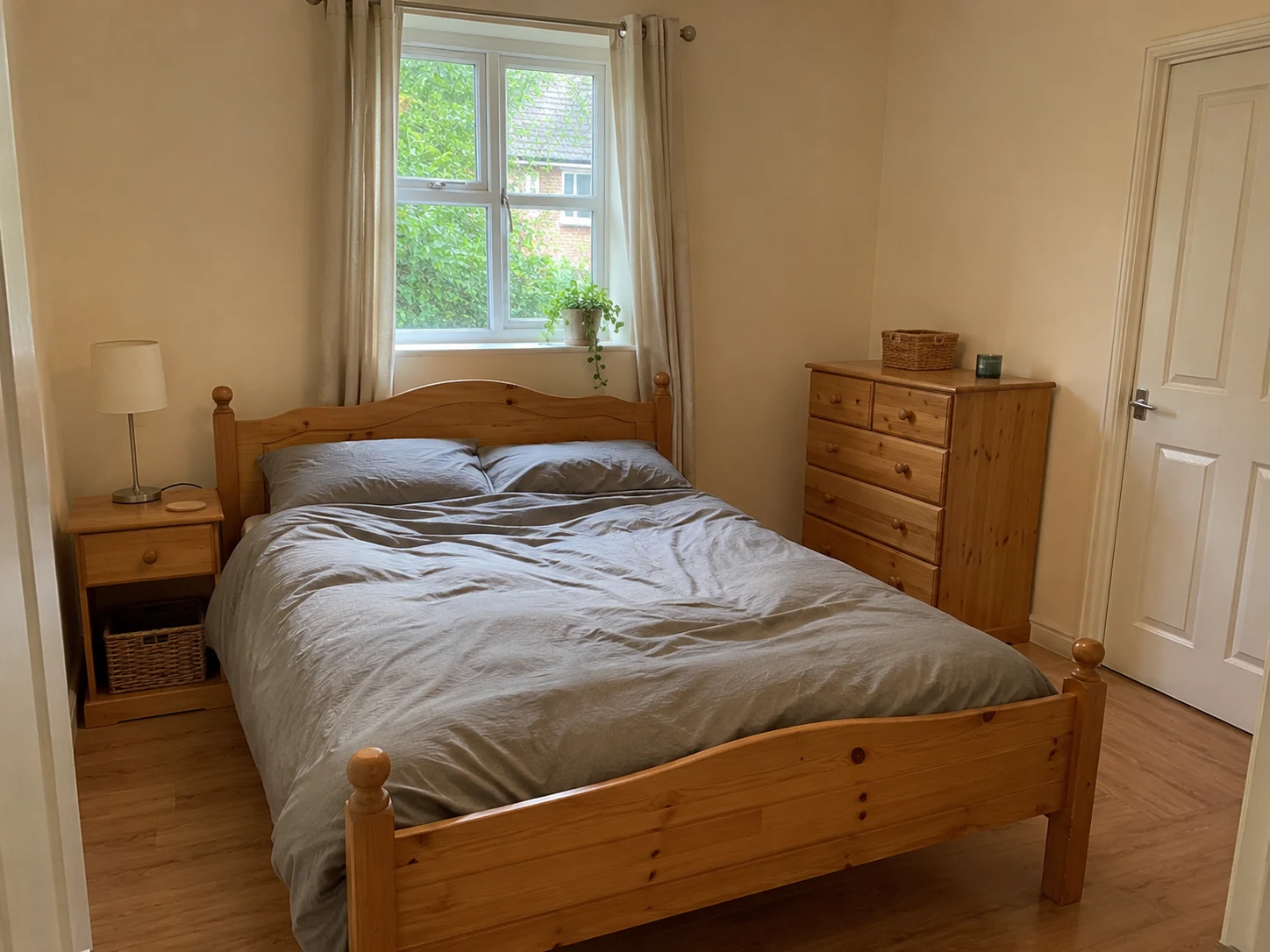
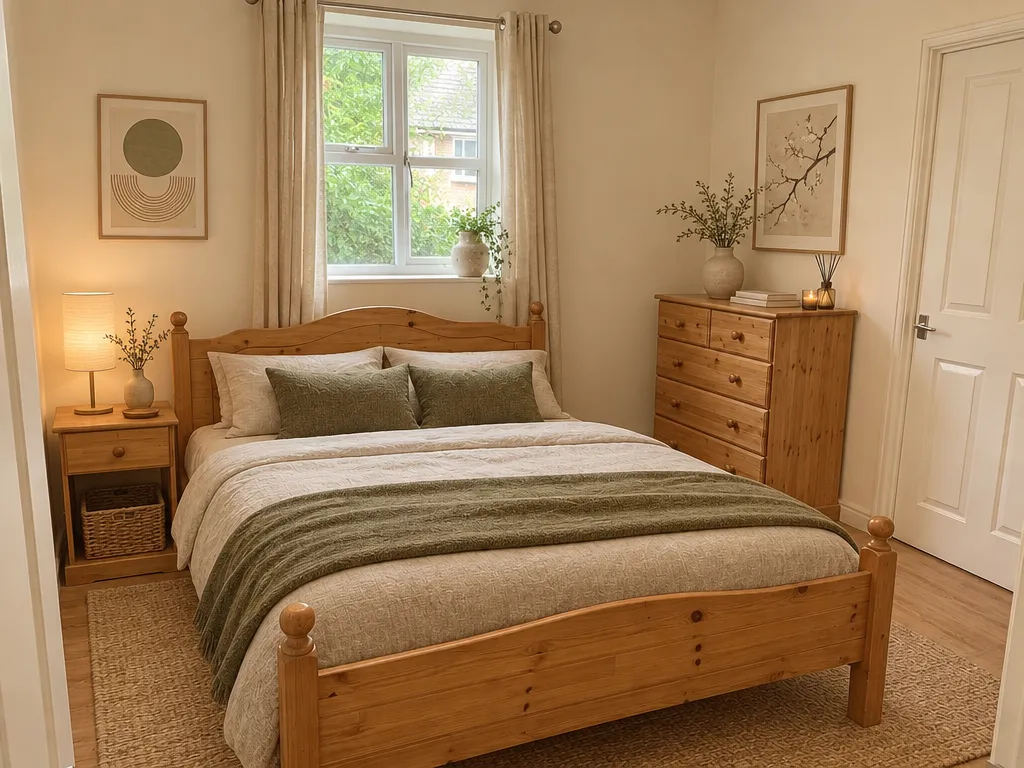
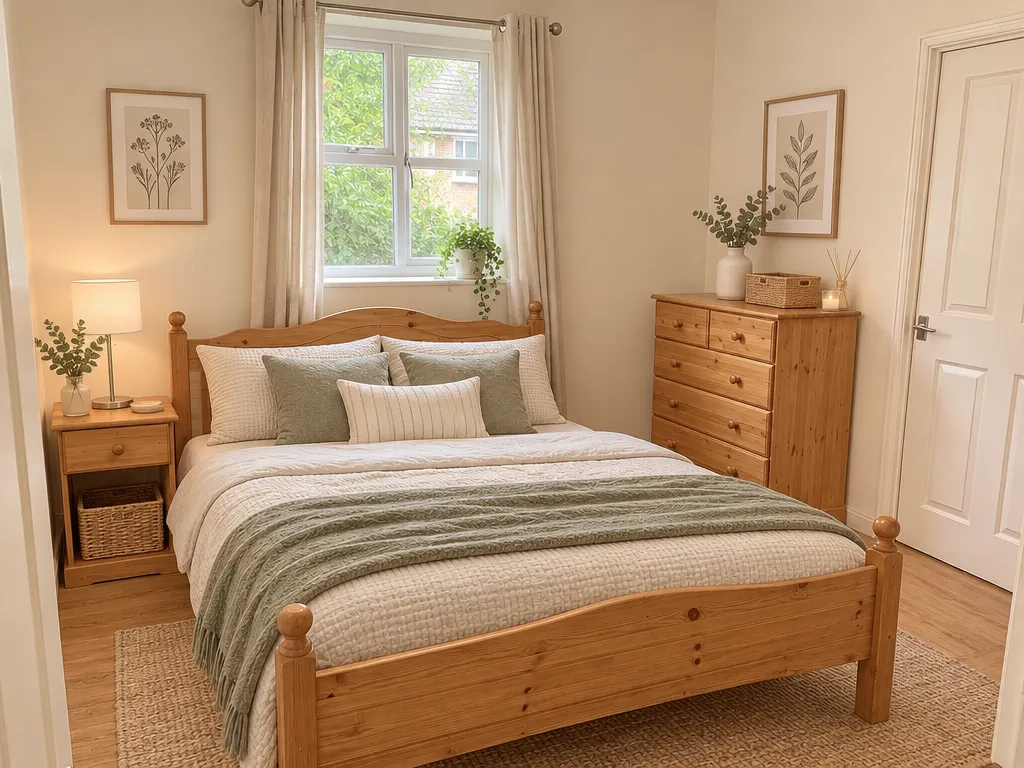
Both concepts retain a recognizable pine bed frame and dresser. The styles differ mainly in bedding, cushions, lighting and decoration; wood grain and small details still change.
Bedroom / Japandi and Scandinavian, in two separate generations using the same input photo. Furniture and renter-friendly preferences selected for both.
These are similar decorating directions, with changes to lamps, baskets and small details. Warm lighting changes the appearance of the walls. Added wall art does not establish how it can be installed. Each new design uses credits.
Try Your Own PhotoBedroom Design Ideas Around Your Existing Bed
Bedding and Bedside Light
For small bedroom design, start with what is visible around the bed. Request changes to bedding and bedside lighting while naming the bed frame you want to keep.
Storage and the Bedside Area
Explore the appearance of a dresser or bedside storage. Measure any new furniture and check door movement before buying; the image does not confirm fit.
A Guest Bedroom Refresh
Compare a color and textile direction around the existing guest bed. Ask for the furniture you want to retain and inspect any changes in the result.
How to Photograph and Review Your Bedroom
1. Show the Bed, Window, and Doorway
Include the bed and as much of the window and doorway as you can. Check mirrors for people before uploading.
2. Name the Furniture You Want to Keep
Describe the bed frame, dresser, or other furniture in your additional requirements. Choose the style you want to explore.
3. Check the Details Before Making Changes
Compare the bed, lights, doors, windows, and storage with your photo. The image cannot establish what is inside a wardrobe or outside the frame.
Free Access and Bedroom Design Credits
Eligible new accounts can receive 1 welcome credit with no expiration. Registration, verification, and eligibility conditions apply. Your sign-up confirmation shows the credit type and available balance.
Free designs include a watermark. Paid Standard designs (1024×768) use 1 paid credit; HD designs (1536×1152) use 2 paid credits. Free credits cannot be used for HD. Each new design uses credits.
Compare Plans and Credit PacksWhat to Check Before Using a Bedroom Design
Keep My Furniture is a design request, not a lock on your bed or furniture. AI may change details. RoomRestyles does not provide fitted-wardrobe plans, measurements, floor plans, 3D models, or a shopping list.
Upload only photos you have permission to use, without people or mirror reflections. Remove personal details you do not want to share. Download the designs you want to keep.
Read the Privacy Policy for processing and retention details and the AI Usage Policy for image limitations.
AI Bedroom Design Questions
Can I keep my existing bed?
Turn on Keep My Furniture and describe the bed in your additional requirements. AI may still change its appearance or position, so compare the result with your photo.
Can I use it for small bedroom design?
Yes. Use a clear photo showing the bed and nearby furniture. The image does not confirm that new furniture will fit.
Can it design a fitted wardrobe?
It can explore an appearance, but it does not produce measurements or construction plans.
Can I try more than one style?
You can choose another style for a new design. Each generation uses credits under the current plan and balance. Changing a style selection alone does not create another image.
Can I try a free design?
Eligible new accounts can receive 1 welcome credit with no expiration. Registration, verification, and eligibility conditions apply. Your sign-up confirmation shows the credit type and available balance. Free designs include a watermark. Paid Standard designs (1024×768) use 1 paid credit; HD designs (1536×1152) use 2 paid credits. Free credits cannot be used for HD. Each new design uses credits.
Compare Plans and Credit PacksWorking With a Studio or a Rental?
Try a New Look for Your Bedroom
Start with a photo and the items you want to keep. Review the result before making real changes.
Go to Bedroom Photo UploadUpdated 2026-11-12