AI Living Room Design From Your Photo
Try AI living room design from a photo of your room. Explore rugs, lamps and cushions around the sofa and TV stand you already own.
Go to Photo UploadReview your photo, preferences, and credits before generating.
Upload Your Living Room Photo
Adjust the suggested settings before creating a design.
AI-generated sample photos for trying the tool.
Living room · Japandi
Furniture preference: keep existing pieces. Renter-friendly preference: on.
Review Credit Option and GenerateAvailable to eligible new accounts. Free results are watermarked 2K designs. Paid Standard 1K uses 1 paid credit; HD 1.5K uses 2 paid credits.
Living Room Before & After
AI-generated sample photo, restyled with RoomRestyles. Not a customer project; image details may change.
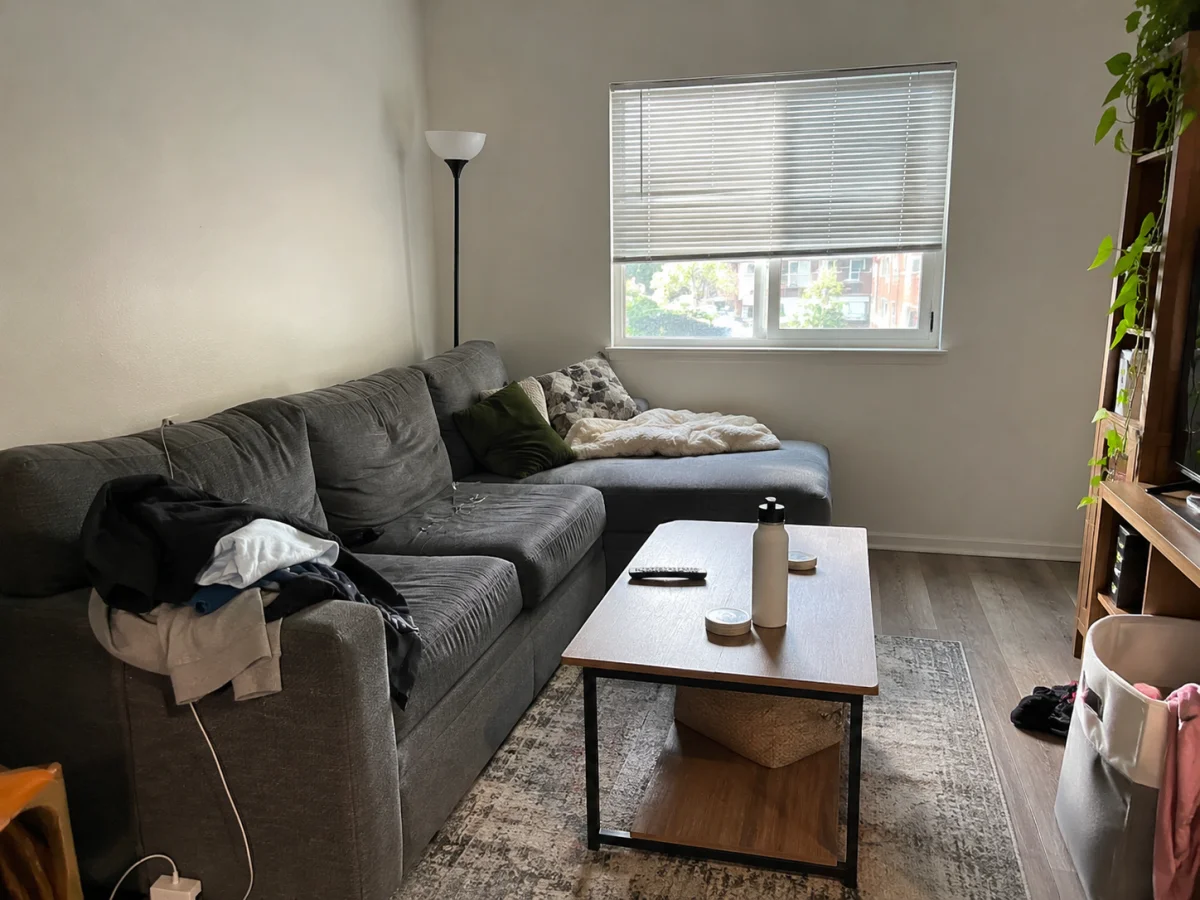
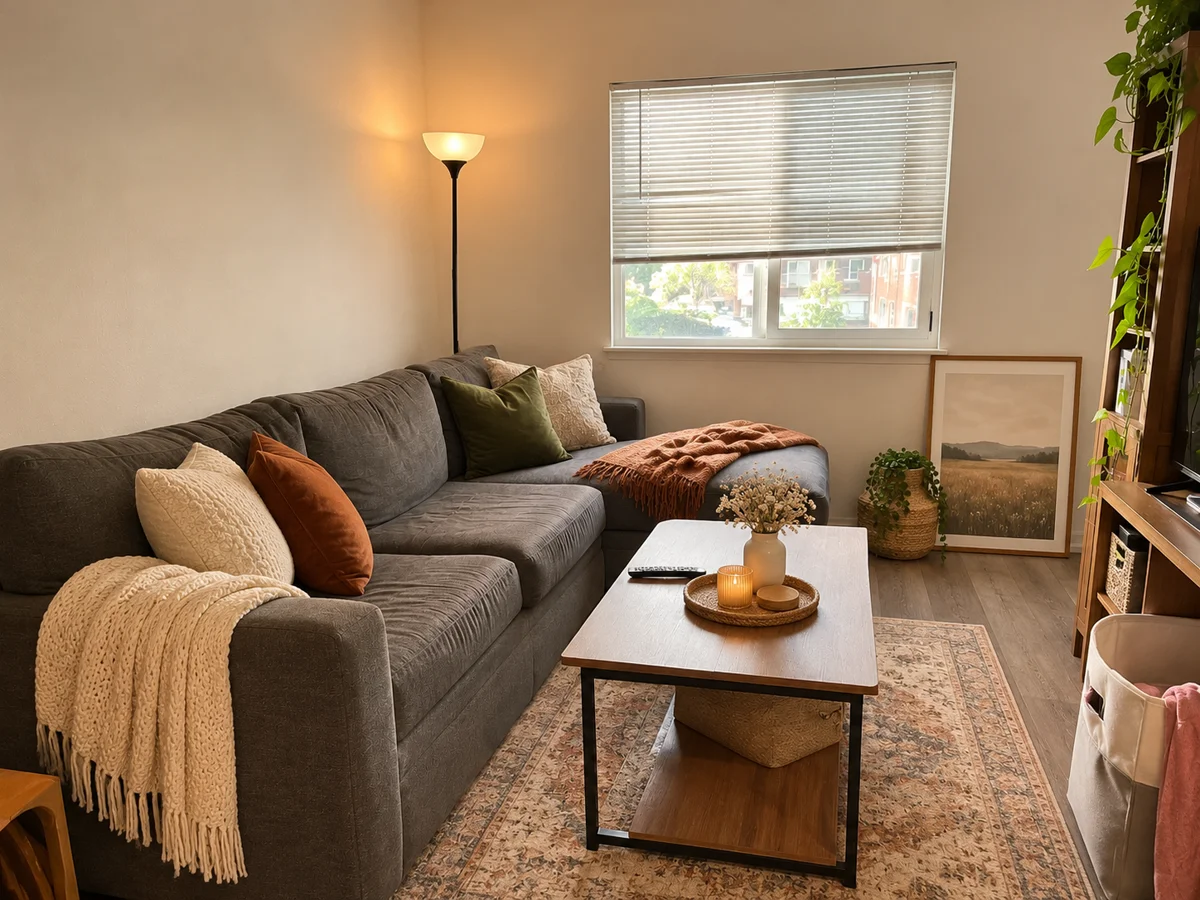
The sofa and main furniture stay recognizable in this concept. Look at the rug, cushions and lighting as separate ideas you can adapt.
The example uses an AI-generated input photo and a separate decorating concept.
Compare the details with the original before measuring or buying anything.
Try Your Own PhotoHow to Try AI Living Room Design
1. Take a Clear Photo
Photograph the sofa and the floor in front of it. Include doors, the TV unit and any route people use to cross the room.
2. Name What Should Stay
Keep the sofa and TV stand where they are. Explore a new rug, lamps and cushions without moving the main seating.
3. Review the Result
Compare layout, openings and furniture positions with the original photo. Measure the space before applying a design.
Decorating Around Your Existing Living Room Furniture
Start With the Pieces You Own
Compare a rug that anchors the sofa with a larger one that groups all the seats. Measure the floor and check the door swing before buying.
What to Check Before Changing Your Room
AI can change shapes, finishes and furniture details. The preview is a visual planning aid.
Measure in the Room
Check clearances, dimensions and placement before buying.
Check Your Lease
Get any required permission for wall or fixture changes.
Upload only photos you have permission to use, without people or mirror reflections. Remove personal details you do not want to share. Download the designs you want to keep.
Read the Privacy Policy for processing and retention details and the AI Usage Policy for image limitations.
Your Rental Photo and Privacy
Upload only photos you have permission to use, without people or mirror reflections. Remove personal details you do not want to share. Download the designs you want to keep.
Read the Privacy Policy for processing and retention details and the AI Usage Policy for image limitations.
Free Access and Paid Design Options
Eligible new accounts can receive 1 welcome credit with no expiration. Registration, verification, and eligibility conditions apply. Your sign-up confirmation shows the credit type and available balance.
Free designs include a watermark. Paid Standard designs (1024×768) use 1 paid credit; HD designs (1536×1152) use 2 paid credits. Free credits cannot be used for HD. Each new design uses credits.
Compare Plans and Credit PacksAI Living Room Design Questions
Can I keep the sofa and TV stand?
Turn on Keep My Furniture and name the pieces. Compare the new image with your photo because details can change.
Can I measure furniture from the result?
Measure the real room and furniture. The generated image does not provide a reliable scale.
Can I try a free design?
Eligible new accounts can receive 1 welcome credit with no expiration. Registration, verification, and eligibility conditions apply. Your sign-up confirmation shows the credit type and available balance. Free designs include a watermark. Paid Standard designs (1024×768) use 1 paid credit; HD designs (1536×1152) use 2 paid credits. Free credits cannot be used for HD. Each new design uses credits.
Compare Plans and Credit PacksMore Ways to Plan Your Room
Try a New Look for Your Living Room
Start with a photo and the items you want to keep. Review the result before making real changes.
Go to Photo UploadUpdated 2026-11-26