Redecorate a Room Keeping Furniture With AI
Redecorate a room keeping furniture you already own. Explore changes to lighting, textiles and color while asking AI to work around your large pieces.
Go to Photo UploadReview your photo, preferences, and credits before generating.
Upload Your Studio Photo
Adjust the suggested settings before creating a design.
AI-generated sample photos for trying the tool.
Studio · Japandi
Furniture preference: keep existing pieces. Renter-friendly preference: on.
Review Credit Option and GenerateAvailable to eligible new accounts. Free results are watermarked 2K designs. Paid Standard 1K uses 1 paid credit; HD 1.5K uses 2 paid credits.
Compare the Input and Decorating Concept
AI-generated sample photo, restyled with RoomRestyles. Not a customer project; image details may change.
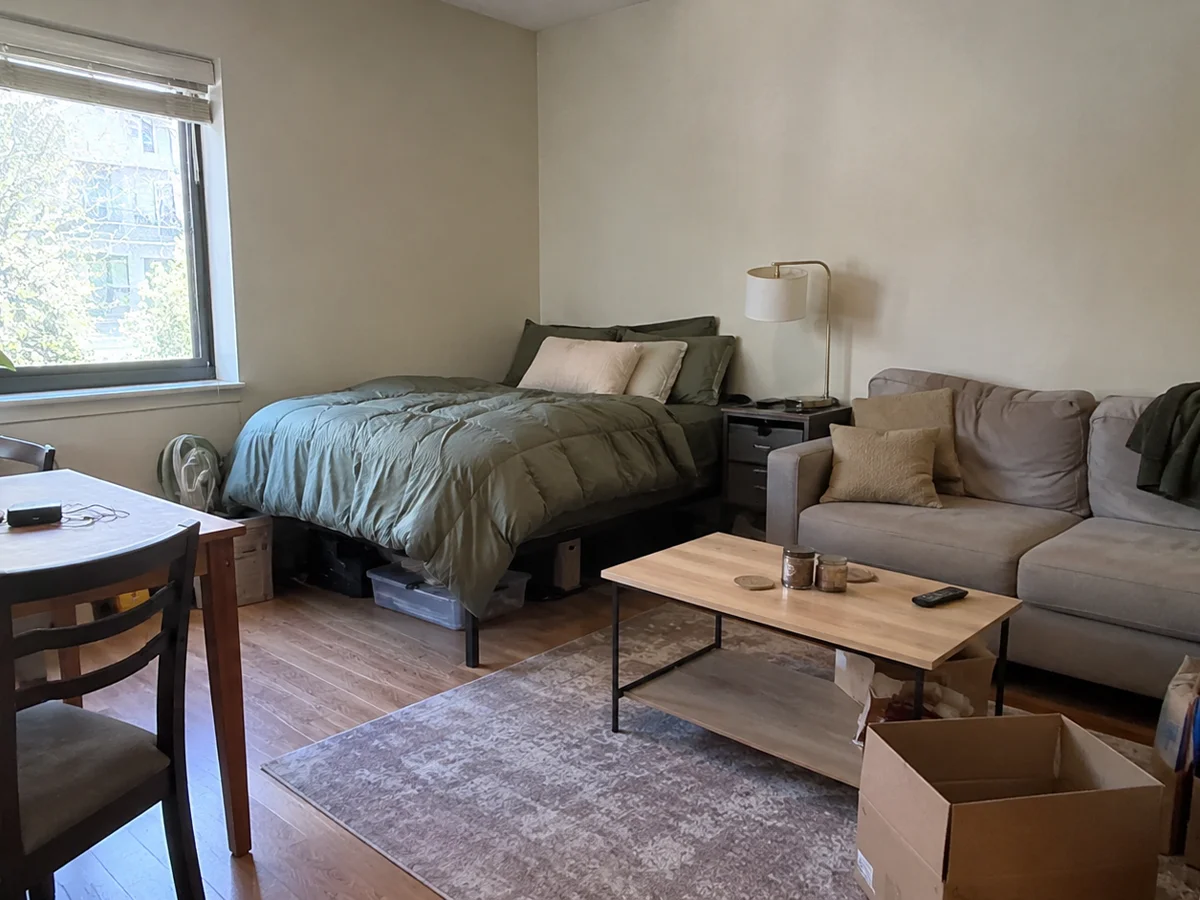
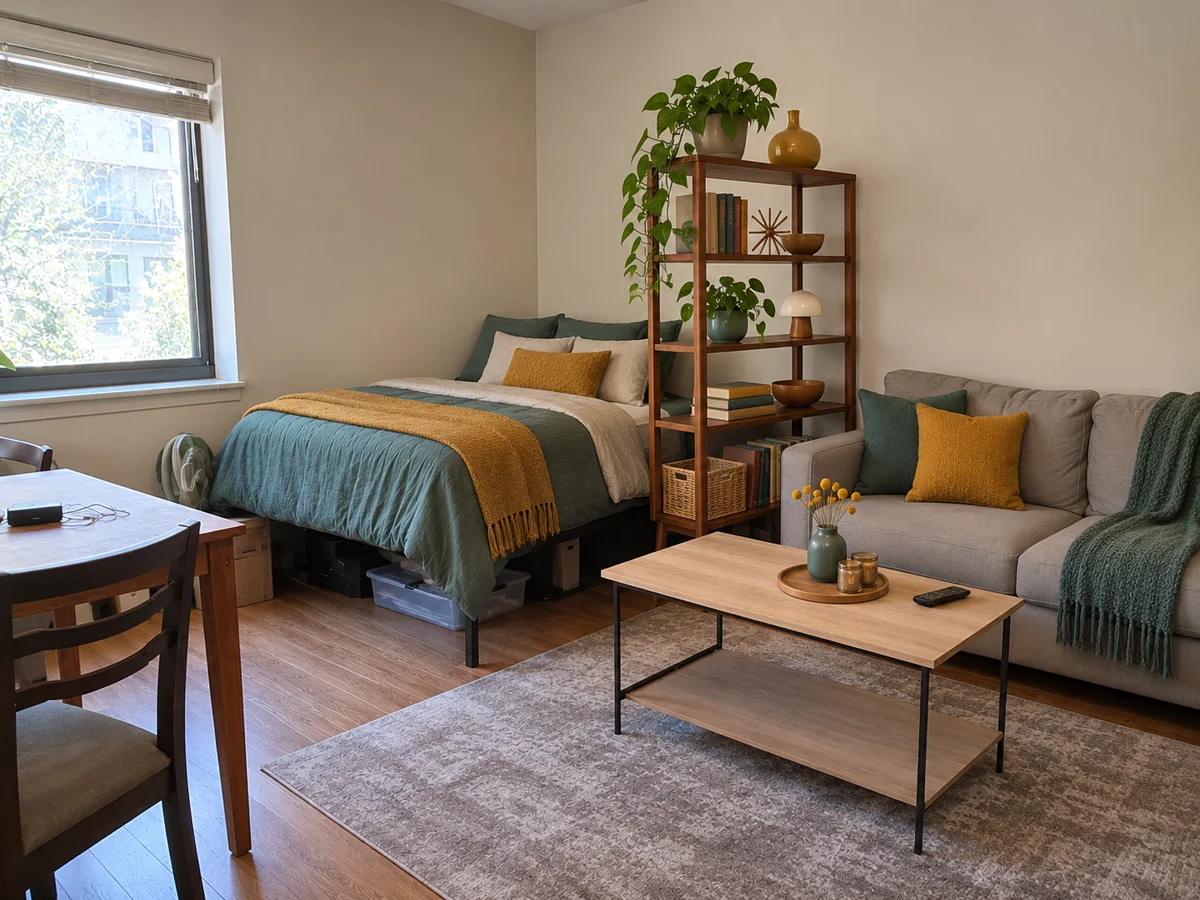
Compare furniture locations and soft furnishings between the two images.
The before image is an AI-generated sample photo. The after image is a separate decorating concept.
Compare each item with your original photo. A generated image does not establish exact dimensions or permission to alter fixtures.
Try Your Own PhotoHow to Plan the Redecorating
1. Photograph the Space
Photograph the pieces you want to keep and include the floor around them. Show doors and walkways where you can.
2. Describe What Should Stay
Keep the sofa, table and bed. Try different rugs, lighting and textiles, and keep the current furniture positions.
3. Check the Result
Compare the result with your photo and check the actual room measurements.
Planning Around the Room You Have
Name every item that should stay
List the pieces separately and say whether they may move. Compare the result with your photo before ordering anything.
What Can Change in the Image
The furniture preference guides the concept. AI can still change details or the position of a piece.
Measure before buying
Verify the size of each piece, gaps around furniture and door swing.
Check lease or housing rules
Ask before mounting items or replacing fixed fittings.
Upload only photos you have permission to use, without people or mirror reflections. Remove personal details you do not want to share. Download the designs you want to keep.
Read the Privacy Policy for processing and retention details and the AI Usage Policy for image limitations.
Your Rental Photo and Privacy
Upload only photos you have permission to use, without people or mirror reflections. Remove personal details you do not want to share. Download the designs you want to keep.
Read the Privacy Policy for processing and retention details and the AI Usage Policy for image limitations.
Free Access and Paid Design Options
Eligible new accounts can receive 1 welcome credit with no expiration. Registration, verification, and eligibility conditions apply. Your sign-up confirmation shows the credit type and available balance.
Free designs include a watermark. Paid Standard designs (1024×768) use 1 paid credit; HD designs (1536×1152) use 2 paid credits. Free credits cannot be used for HD. Each new design uses credits.
Compare Plans and Credit PacksRedecorate A Room Keeping Furniture Questions
Can I request that existing furniture stays?
Turn on Keep My Furniture. Name the pieces and compare each one with your original photo.
Can I use the image to order exact sizes?
Measure the room and existing furniture. Treat the generated image as a decorating reference.
Can I try a free design?
Eligible new accounts can receive 1 welcome credit with no expiration. Registration, verification, and eligibility conditions apply. Your sign-up confirmation shows the credit type and available balance. Free designs include a watermark. Paid Standard designs (1024×768) use 1 paid credit; HD designs (1536×1152) use 2 paid credits. Free credits cannot be used for HD. Each new design uses credits.
Compare Plans and Credit PacksMore Room Ideas
See a Decorating Idea from Your Photo
Start with a photo and the items you want to keep. Review the result before making real changes.
Go to Photo UploadUpdated 2026-11-26